
Happy Wheels
James BonacciRacing
4.312.63K Reviews
- Version
- 1.1.3
- Installs
- 10.00M
- Age Rating
- Mature 17+
Screenshots
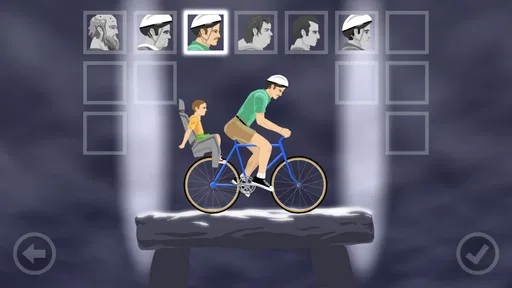
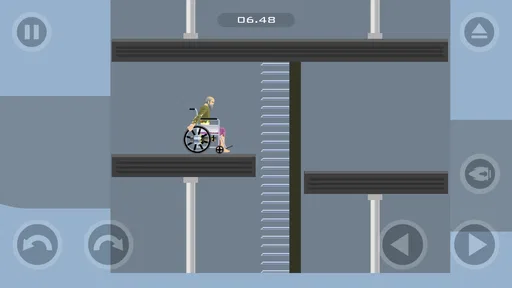
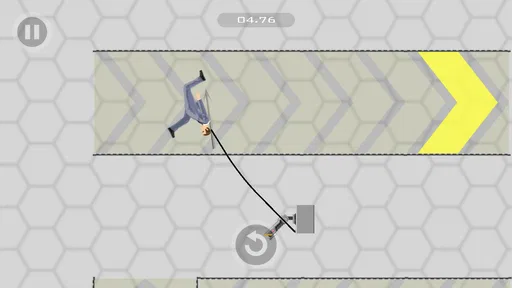


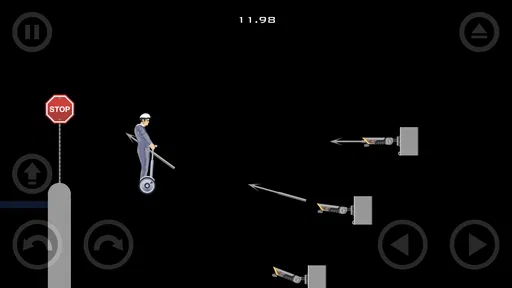
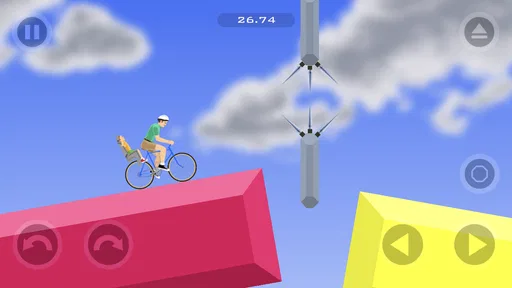

Our Review of Happy Wheels
 Analysis by Appyee
Some games ask you to master a track. Happy Wheels asks you to understand what the track, the vehicle, and your own impatience are doing at the same time. I found it most enjoyable when I stopped treating each level like a normal race and started treating it like a small physics puzzle with wheels attached. The aim is to move through dangerous obstacle courses, but the real challenge is controlling momentum, body position, and timing when everything can go wrong in a wonderfully ridiculous way.
This is a free racing game from James Bonacci, built around side-scrolling movement rather than the clean laps and polished handling found in conventional mobile racers. It is rated Mature 17+, runs on Android 6.0 or later, and the current version is 1.1.3. The game has reached over 10 million installs, with an average rating of 4.3 from around 372 thousand ratings. Those figures make sense to me: the concept is immediately funny and easy to understand, but the physics can be demanding enough that some players will either become hooked or leave after a few frustrating attempts.
Why the first few attempts can feel harder than expected
The most common point of friction is the control model. Happy Wheels does not behave like a typical racing game where pressing forward simply means “go faster.” Your rider and vehicle react to slopes, gaps, obstacles, and sudden changes in balance. A small movement at the wrong moment can turn a safe landing into a crash, while braking too late can be just as damaging as accelerating too aggressively.
I recommend beginning with a deliberately slow rhythm. Instead of holding the movement control continuously, use short inputs and watch how the character’s body responds. This is especially useful on ramps. The vehicle may clear the ramp, but the rider can still land at an awkward angle, so judging only the wheels is a mistake. I learned to look at the whole silhouette of the rider and vehicle before deciding whether to accelerate again.
The game’s humor comes from this unpredictability, but the same quality creates its biggest weakness. A level can appear simple and still demand several attempts because the physics punish rushed decisions. Players who want immediate, smooth racing may find the experience clumsy. Players who enjoy experimenting with failure will probably see the same clumsiness as the main attraction.
Another early stumbling block is assuming that every obstacle should be handled with speed. In many situations, speed only reduces your options. A controlled approach gives you more time to react, while a fast approach can leave you committed to a bad jump before you understand the landing. When I get stuck, my first adjustment is usually not a new route but a slower entry into the difficult section.
Reading a level instead of simply driving through it
Before making a serious attempt, I find it useful to watch the opening section for a moment and identify where the level changes pace. Long flat stretches encourage overconfidence, while a sudden incline, narrow passage, or suspended obstacle usually requires preparation before reaching it. This small pause saves repeated failures because I am no longer reacting to every obstacle as a surprise.
One practical trick is to divide a difficult course into landmarks. I treat the first ramp, the first tight landing, and the first major hazard as separate problems. If I fail at the second landmark, I do not restart with a completely different strategy; I change only the input immediately before that point. This makes the physics easier to learn because I can tell whether the problem was speed, angle, or timing.
That approach also answers an important question for newcomers: is the game skill-based or random? It feels unpredictable at first, but repeated attempts usually reveal patterns in your own control. The result is not perfectly precise in the way a competitive racing simulator is precise, yet there is enough consistency to reward careful practice. The game becomes more satisfying once failure produces information rather than just annoyance.
What to check before blaming the game
Because the action is sensitive to timing, basic setup matters. I would first confirm that the device is running Android 6.0 or newer and that the game has been installed from the intended store source. If the game does not install, opens incorrectly, or behaves differently after an update, checking the operating system and restarting the device is a sensible first step before changing anything more complicated.
I also avoid beginning a difficult session while the phone is overloaded with other active apps. Closing unused apps can make the device feel more responsive, particularly on older hardware. This is not a special fix for the game; it is simply good preparation for a title where a delayed or missed input can change the outcome immediately.
Touchscreen condition is worth checking as well. A greasy screen, a thick case edge, or a finger resting too close to the display can make short directional movements feel inconsistent. I get better results with the phone held securely in both hands and the controls approached with light taps rather than large swipes. If the game suddenly seems impossible after being reliable, I test ordinary touch responsiveness elsewhere on the device before assuming the level has changed.
Storage can also affect installation and updates. The game itself is free, but the listing includes in-app purchases priced at $1.99 per item. I would not treat those purchases as a solution to control problems. Buying something cannot replace learning the course, and a player should first decide whether the basic physics are enjoyable before spending money inside the game.
The Mature 17+ rating is another setup decision rather than a minor label. The game’s exaggerated crashes and dark comic tone are central to its identity, so it is not a good choice for a child’s casual racing session. If you are choosing a game for a shared family device, I would pay attention to that rating before installing it, especially because the simple presentation can make it look more harmless than it is.
Recovering a bad run without repeating the same mistake
When a run goes wrong, my most useful habit is to identify the last moment that was still under control. Restarting immediately is tempting, but it often hides the actual cause. Was the vehicle already tilted before the jump? Did I accelerate while the front wheel was still touching a slope? Did I try to correct the rider too late? Answering one of those questions turns a funny accident into a practical lesson.
I use a three-step recovery routine. First, I replay the approach at a slower pace. Second, I make one change only, such as releasing the movement control earlier. Third, I compare the landing rather than the launch. This prevents the common mistake of changing several inputs at once and then having no idea which adjustment helped.
There is also value in accepting a less elegant route through a section. A perfect-looking jump may be satisfying, but a modest landing that keeps the vehicle stable is usually more useful. I often prefer preserving balance over gaining a little distance. In a game built around obstacles, survival is a form of progress even when the movement looks awkward.
If the controls feel unresponsive during a particular attempt, I check whether the problem happens everywhere or only during a crowded part of the level. If it is only one moment, the issue may be my own overloaded input rather than a technical fault. I sometimes press several directions while trying to correct a fall, which creates confusion instead of control. Returning to one clear input at a time is a surprisingly effective recovery method.
For players who wonder whether reinstalling will fix repeated failures, I would not make that the first choice. Reinstallation may help with a genuine installation problem, but it will not change a difficult obstacle or make a poor approach stable. I would reserve that step for situations where the game fails to open or behaves abnormally across multiple attempts, after the simpler device and touch checks have been tried.
When another app or the phone may be the real problem
Not every frustrating session points to Happy Wheels. If several games show delayed touch response, stuttering, or unexpected closing, the wider device environment deserves attention. A busy phone, an overheating device, low available storage, or a system issue can affect more than one title. Testing another game with simple controls helps separate a game-specific problem from a general performance problem.
Network conditions are less relevant to the moment-to-moment handling than they are in online racing games, but installation and updates can still depend on a stable connection. If the game is already installed and the difficulty is coming from a failed jump, changing networks will not improve the physics. This distinction matters because it keeps troubleshooting focused: connection checks are sensible for download trouble, not for a landing that was approached too quickly.
Compared with conventional racing games, this is a poor choice for someone seeking licensed cars, realistic tracks, competitive lap times, or a polished sense of speed. A traditional arcade racer is better when I want immediate acceleration, predictable steering, and a clear winner at the end of a race. Happy Wheels is better when I want a short, chaotic challenge where the entertainment comes from seeing how a plan breaks apart.
It also differs from endless runners. An endless runner usually emphasizes reflexes and a continuous forward flow, while this game asks me to manage a specific obstacle sequence and learn from the way my vehicle reacts. That makes it more deliberate than it first appears. It is still quick to pick up, but it rewards patience more than constant tapping.
Who will enjoy the unusual physics
I would recommend it to players who like trial-and-error games, slapstick accidents, and levels that can be approached through timing rather than raw speed. It works well in short sessions: I can attempt one difficult section while waiting for an appointment, then return later with a clearer idea of what went wrong. The free entry point makes it easy to test that style without committing to a purchase.
A realistic everyday scenario is a short break after work. I might have only a few minutes, so a full racing campaign is inconvenient. Here, I can make several attempts at one obstacle, laugh at an especially bad crash, and stop without feeling that I abandoned a long race. The same structure can be useful for someone who enjoys games in small bursts but still wants a challenge that remains interesting after the novelty wears off.
I would skip it if you dislike repeated failure, need completely predictable controls, or are sensitive to graphic comic crashes. I would also avoid recommending it as a calm game for young children because the Mature 17+ rating reflects the tone. Even though the controls are simple to understand, the consequences of mistakes are intentionally exaggerated, and that humor will not suit everyone.
The developer, James Bonacci, has made a game where the physics are not merely a technical layer underneath the racing. They are the content. That is why the title can feel brilliant in one session and irritating in another. When I am willing to observe, adjust, and try again, the awkward movement becomes a puzzle. When I want a clean result on the first attempt, it becomes friction.
My practical verdict after living with the controls
Happy Wheels is a distinctive free racing game for Android rather than a replacement for a standard mobile racer. Its strongest quality is the way it turns every obstacle into a small story: a careful approach, a questionable decision, and either a surprisingly graceful landing or an absurd disaster. The experience is memorable because the physics create consequences that feel personal, even when the result is ridiculous.
My advice is to install it only if you are comfortable learning through mistakes. Start slowly, keep your inputs deliberate, separate device problems from gameplay problems, and change one part of your approach at a time. Those habits make the game substantially less frustrating and reveal the depth hidden behind its simple side-scrolling presentation.
The current version is 1.1.3, the game is free to begin, and the minimum Android requirement is 6.0. That combination makes it accessible to many players, but accessibility should not be confused with ease. The first few levels may be understandable immediately, while reliable control takes longer. In my experience, that is a fair trade: the game asks for patience, then pays it back with moments that ordinary racing games rarely produce.
My recommendation is clear but specific: choose Happy Wheels for physics-driven obstacle challenges and comic trial and error, not for smooth racing realism. If that distinction sounds appealing, it is worth trying. If you would rather cross a finish line cleanly than discover three new ways to fail before reaching it, a conventional racing game will probably serve you better.
Privacy and Permissions
See what permissions an app requests and how it handles your data.
- Location
- approximate location (network-based), precise location (GPS and network-based)
- Photos/Media/Files
- read the contents of your USB storage, modify or delete the contents of your USB storage
- Storage
- read the contents of your USB storage, modify or delete the contents of your USB storage
- Wi-Fi connection information
- view Wi-Fi connections
- Other
- view network connections, full network access, run at startup, control vibration, prevent device from sleeping
Verdict
Strengths of Happy Wheels
- Distinctive physics-based gameplay with plenty of surprising moments.
- Large level library keeps the experience fresh for repeat players.
- Simple controls make it easy to start playing quickly.
- User-created levels add variety beyond the built-in content.
- Comedic crashes and creative traps give the game a unique personality.
Limitations of Happy Wheels
- Graphic cartoon violence may not be suitable for younger children.
- Some levels rely heavily on trial and error, which can feel frustrating.
- Touch controls may be awkward during precise vehicle maneuvers.
- The free version may include ads that interrupt the experience.
- Level quality varies considerably because much content is user-created.
Similar Picks in This Category
View All
Hill Climb Racing
Fingersoft4.3

Dr. Driving
SUD Inc.4.2

Traffic Rider
skgames4.5

Asphalt 8 - Car Racing Game
Gameloft SE4.6

Race Master 3D: Car Racing
Beresnev Games4.6

Extreme Car Driving Simulator
AxesInMotion Racing4.3
Frequently Asked Questions
What is Happy Wheels, and how does the game work?
Happy Wheels is a physics-based obstacle course game where you control unusual characters, vehicles, and objects through dangerous, player-created levels. The goal is usually to reach the finish while avoiding spikes, mines, saws, gaps, and other traps. Its unpredictable physics make every attempt different, and failure is a major part of the game’s darkly humorous experience.
Is Happy Wheels free to download and play?
Happy Wheels can generally be played for free through supported web or mobile versions, although availability and features may vary depending on the platform and region. Some versions may include advertising, optional purchases, or restricted content. Before downloading, check the official store listing carefully to confirm the developer, supported devices, pricing, and whether the version includes all expected game modes.
Is Happy Wheels suitable for children?
Happy Wheels contains cartoon-style violence, frequent crashes, blood effects, injuries, and dark humor. Although the graphics are not realistic, some scenes may be disturbing or inappropriate for younger players. Parents should review the age rating and content description on the relevant app store before allowing children to play, especially if the child is sensitive to violent or graphic game effects.
Does Happy Wheels require an internet connection?
The basic gameplay experience may work offline in some versions, particularly when playing levels that are already available on the device. However, an internet connection can be necessary for downloading new content, accessing user-created levels, synchronizing progress, displaying advertisements, or using online features. Requirements may differ between the official web version and mobile releases, so check the store information.
Can players create or play custom levels in Happy Wheels?
Custom levels are one of Happy Wheels’ most recognizable features, allowing players to experience courses designed by the community rather than only the standard stages. The level editor and browsing options may differ by platform or version, and some mobile editions may not provide the same tools as the original browser game. Confirm the available features before downloading if user-generated content is important to you.
Play our best games!


